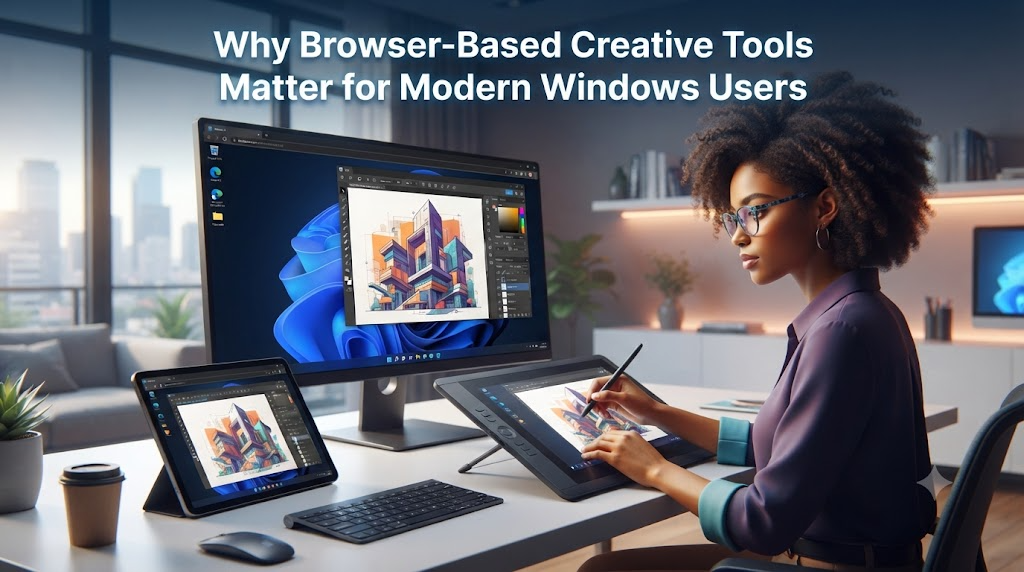
Windows users have always had a practical relationship with software. If a tool solves a problem, saves time, and does not make the system harder to manage, it earns a place in the workflow. That is true for bootable USB utilities, file recovery tools, partition managers, compression apps, driver tools, and all the small programs people keep around because they are useful when something needs to get done.
Creative work is starting to follow a similar pattern. A user may still install serious desktop software for editing, production, or design, but many smaller creative tasks now happen directly in the browser. That shift is worth paying attention to, especially for Windows users who move between laptops, workstations, repair environments, and shared machines.
The browser is becoming part of the portable toolkit.
The old model was built around installation
For a long time, doing any serious task on a Windows computer meant installing dedicated software. That made sense. Local tools were faster, more capable, and easier to control. If you needed to format a drive, create bootable media, edit video, process audio, or convert files, you usually installed something and kept it ready.
The downside was maintenance. Every installed tool added another thing to update, another shortcut, another service, another possible conflict, or another license key to remember. On a personal machine, that may be manageable. On a secondary laptop, a borrowed computer, or a freshly installed system, it becomes less convenient.
This is why browser-based tools have become attractive. They do not replace every desktop application. They reduce the number of small tasks that require installation in the first place.
Creative tasks are becoming lighter
Not every creative task needs a full production setup. Sometimes a user only needs to resize an image, draft a quick caption, remove background noise, convert a file, test a logo idea, or create a temporary piece of music for a video draft.
These small tasks matter because they often appear in the middle of larger work. A tutorial video needs a short intro. A product demo needs background sound. A family slideshow needs a simple music bed. A social post needs something more polished than silence. None of these jobs should require turning the computer into a full studio.
A good browser tool fits that moment. It lets the user finish the small creative step and return to the main project.
Why online tools fit Windows workflows
Windows users often work across different levels of system access. One machine may be fully configured. Another may be a clean install. A third may be a work computer where software installation is restricted. In those cases, a browser-based workflow can be more flexible than relying on a long list of installed apps.
This is especially useful for tools that are needed occasionally rather than every day. If a task happens once a month, it may not deserve a permanent place on the system. If it can be completed in a browser, the user avoids adding clutter while still getting the job done.
There is also a portability benefit. A bookmark is easier to carry than a software environment. A web tool can be used from a desktop, laptop, or temporary machine as long as the browser and connection are available.
Music creation is a good example
Music is one of those areas where the difference between a full production workflow and a quick creative need is very clear. Professional music production still benefits from dedicated desktop tools, audio interfaces, plugins, and experience. But many everyday users do not need that level of setup just to test an idea.
For a quick project draft, an online song maker can be enough to turn a mood, scene, or short prompt into something audible. The point is not to replace a full music workstation. The point is to hear a direction early, while the project is still flexible.
That distinction matters. A video maker may only need to know whether a calm track works better than an energetic one. A teacher may want background music for a lesson draft. A small business owner may need a quick audio idea for a product clip. A developer may want sound for a prototype demo. In each case, the first decision is not about final mastering. It is about fit.
The browser turns music into an experiment
Installed software can sometimes make users feel that every task must be serious before it begins. Browser tools make experimentation feel cheaper. Open the page, describe the idea, test the result, and decide whether it belongs in the project.
That is why more casual creators are starting to make music with ai when they need a fast starting point. They are not always trying to finish a song. Often they are trying to answer a practical question: does this kind of sound help the project or get in the way?
This makes music less intimidating. Instead of treating audio as a separate professional discipline, users can treat it as one more layer of a digital project that can be tested, adjusted, or discarded.
What makes a browser-based creative tool useful
Not every online tool deserves attention. A useful browser-based creative tool should reduce friction without creating confusion. It should be clear what problem it solves. It should not require the user to read a manual before trying a first result. It should produce something that can be evaluated quickly inside the real project.
For Windows users, a few qualities matter in particular.
- It should work without changing system settings
- It should not require a heavy installation for a small task
- It should fit into a temporary or portable workflow
- It should let the user export or reuse the result easily
- It should be simple enough to revisit when the task appears again
The best browser tools are not impressive because they are online. They are useful because they remove a step that used to slow people down.
Local software still has a place
There is no need to turn this into a debate between desktop software and web tools. Local software is still essential for many jobs. System utilities, backup tools, advanced editors, professional audio software, and security-related tools often belong on the machine.
The practical approach is to match the tool to the task. If the task is frequent, complex, sensitive, or performance-heavy, a dedicated application may be the right choice. If the task is occasional, exploratory, or lightweight, a browser-based option may be more efficient.
That balanced view is especially familiar to technical Windows users. The goal is not to install everything. The goal is to keep the right tools available when they are needed.
A more portable creative toolkit
A modern Windows toolkit is no longer only a folder of installers or a USB drive full of utilities. It can also include a set of trusted web tools for quick tasks. Some are for file conversion. Some are for screenshots, notes, compression, or collaboration. Some are for creative work that used to require more setup than the task justified.
Music creation fits into that larger trend. The value is not only that a browser can generate sound. The value is that a user can test sound without changing the system, installing a large application, or interrupting the main workflow.
For many people, that is the real benefit of browser-based creative tools. They make small creative decisions easier to try. They keep the machine cleaner. They let the user move faster across different Windows environments.
And in a world where people work from more than one device, that kind of portability is becoming just as important as raw software power.